

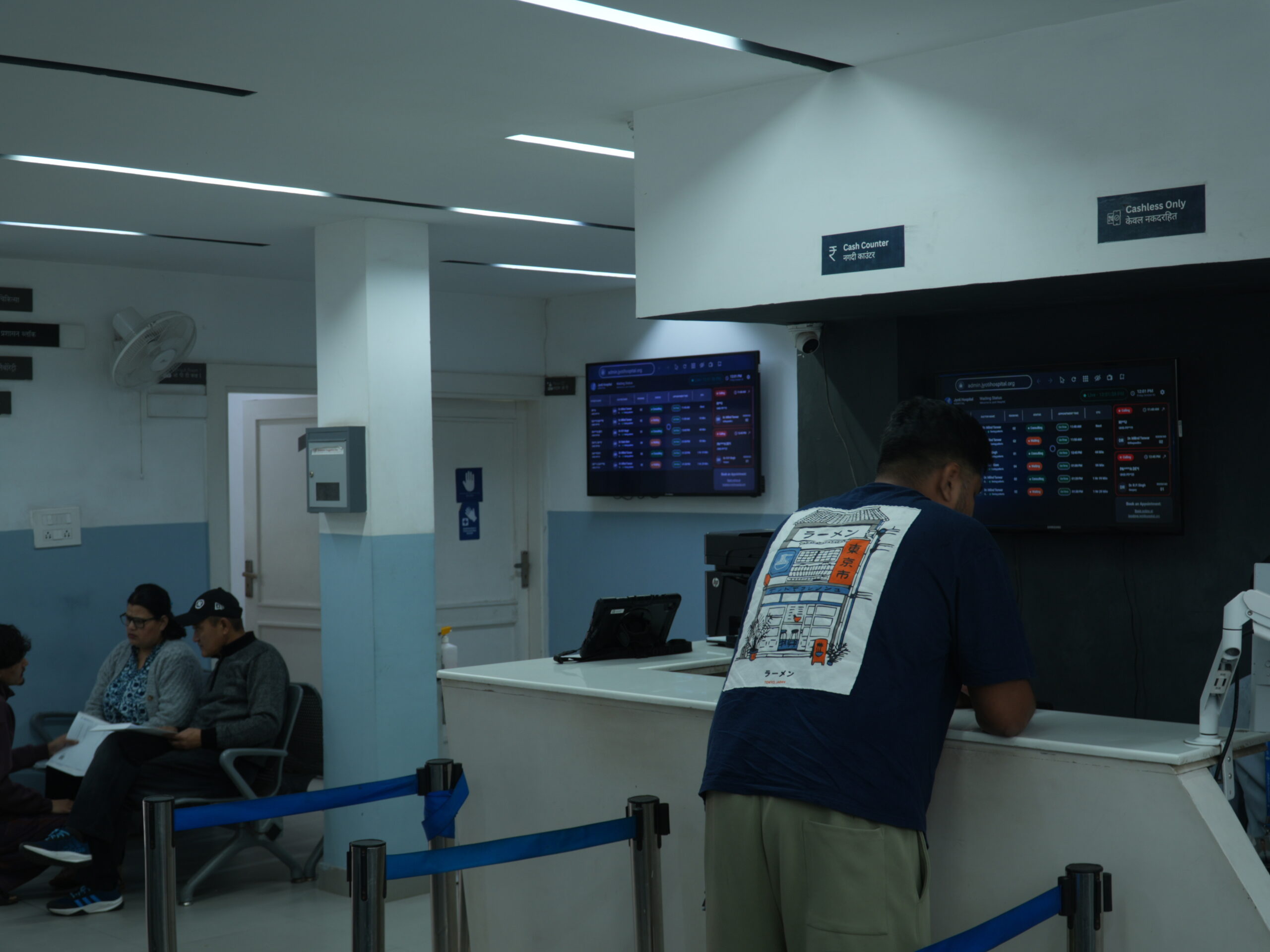
Get Your Hospital Ready for Inteliya
Implementing Inteliya in your hospital does not require a complicated IT infrastructure. However, having the right devices, reliable internet connectivity, and basic equipment at key locations can help your team use the platform efficiently.
Since Inteliya connects doctors, nurses, receptionists, administrators, and other hospital staff through a digital platform, each department should have convenient access to the devices required for its daily activities.
Here is a practical checklist to prepare your hospital for Inteliya.
1. Basic Computer and Laptop Setup
Desktop computers or laptops are required at workstations where staff access Inteliya for patient registration, appointments, consultations, billing, clinical documentation, and administration.
Recommended setup:
- Modern desktop computer or laptop.
- Minimum 8 GB RAM recommended for comfortable multitasking.
- Updated operating system.
- Latest version of a supported web browser, preferably Google Chrome.
- Monitor with comfortable screen resolution.
2. Reliable Internet Connectivity
A stable internet connection is essential for accessing Inteliya and coordinating information across hospital departments.
We recommend:
- Reliable broadband or fibre internet.
- Good Wi-Fi coverage across reception, consultation rooms, wards, and administrative areas.
- A backup internet connection for continuity during primary connection failures.
- A router capable of supporting multiple connected devices.
3. Printers and Scanners
Depending on the hospital’s workflow, printers and scanners can support prescription printing, billing documentation, and digitisation of physical patient records.
Recommended equipment:
- Laser or inkjet printer for prescriptions and documents.
- Receipt printer, if required for billing operations.
- Document scanner for uploading existing patient records and reports.
4. Patient Waiting Screen
If your hospital uses Inteliya’s queue management system, install a television or LED display in the waiting area.
This allows patients to see doctor-initiated calls displayed through the system, helping them know when their turn has been called.
A suitable display, connected to a computer or compatible device, can serve as the patient-facing waiting screen.
5. Self-Check-In Kiosk
To use Inteliya’s patient self-check-in workflow, consider installing a dedicated touchscreen computer or tablet at reception.
Patients can enter their relevant details and complete the check-in process through the kiosk, reducing dependence on manual registration for supported workflows.
A stable internet connection and a conveniently positioned touchscreen device are the key requirements.
6. Department-Wise Device Placement
For efficient adoption, provide devices at locations where staff regularly use Inteliya.
| Department | Recommended equipment |
| Reception | Desktop/laptop, printer |
| Doctor’s consultation room | Desktop/laptop |
| Nursing station | Desktop/laptop or suitable tablet |
| Billing counter | Desktop/laptop, receipt printer |
| Hospital administration | Desktop/laptop |
| Waiting area | TV/LED display |
| Self-check-in area | Touchscreen kiosk |
7. Basic IT and Security Preparation
Before using Inteliya across the hospital, ensure that:
- Every staff member has an individual user account.
- Access permissions are assigned according to job responsibilities.
- Devices are protected with passwords and appropriate security software.
- Operating systems and browsers are kept updated.
- Staff understand basic login, logout, and patient data confidentiality practices.
Final Checklist: What Does Your Hospital Need?
A basic Inteliya setup can include:
- Desktop computers or laptops for relevant departments.
- Reliable internet and Wi-Fi connectivity.
- Printers and scanners according to operational requirements.
- A waiting-area display for queue management.
- A touchscreen kiosk for patient self-check-in, if required.
- Individual staff accounts and appropriate access permissions.
Start with the essential devices and expand your setup as your hospital’s digital requirements grow. The exact equipment requirement depends on the number of users, departments, and Inteliya features your hospital plans to use.
Get Started with Inteliya
Setting up a digitally connected hospital does not have to be complicated. With the right basic equipment and a reliable network, your team can begin using Inteliya to manage appointments, patient records, inpatient workflows, billing, and hospital operations.
Prepare your hospital for smarter, more connected operations with Inteliya.
Visit inteliya.in to learn more about the platform.
Inteliya — Connecting Every Step of the Patient Journey.